Free to start — no credit card

Production DOCX merge.
Without the Aspose bill.

Merge a base Word template with N source documents into a single .docxthat opens cleanly — no repair dialog, no broken styles, no missing headers. The merge behavior you'd build yourself if you had a year.

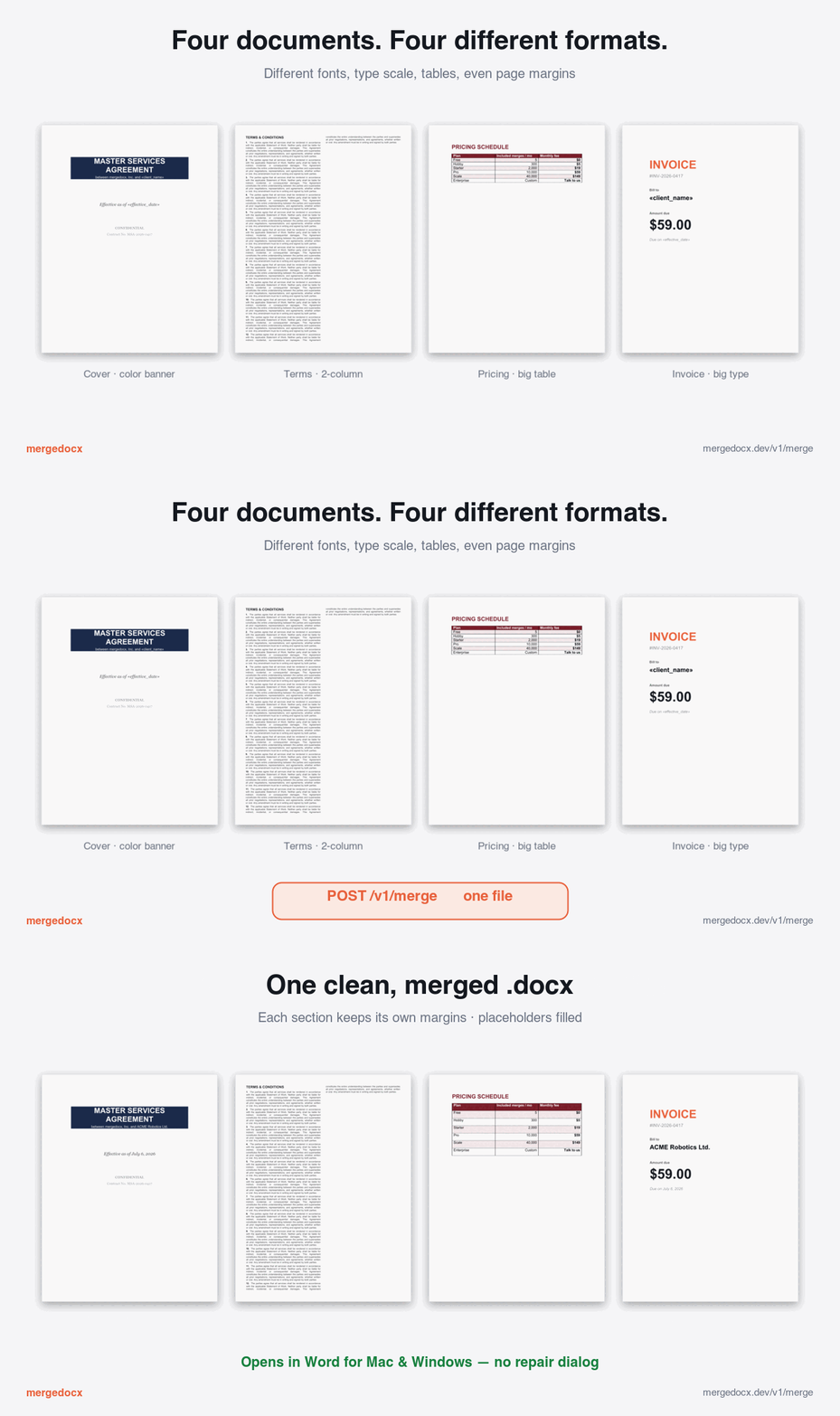
Four Word documents with completely different layouts and page margins — a navy banner cover page, dense two-column fine print, a colored pricing table, and a big-type invoice — merged into one clean .docx through a single POST /v1/merge call. Each keeps its own margins and styling while placeholders are filled and conflicting styles are reconciled.
Four .docx files with different layouts and margins → one merged file that opens clean in Word. Real rendered output.
Try it yourself — download the actual files
Open the four inputs, then the merged file — same content, one clean document, no repair dialog.
One POST, one merged file
curl -X POST https://mergedocx-production.up.railway.app/v1/merge \
  -H "Authorization: Bearer $MERGEDOCX_API_KEY" \
  -H "Content-Type: application/json" \
  -d '{
    "base_docx_ref": "templates/contract.docx",
    "replacements": {
      "client_name": "ACME Corp",
      "effective_date": "2026-04-20"
    }
  }' \
  --output merged.docx
Response: 200 OK with merged DOCX bytes and a stats header. Need to merge multiple source documents in one call? Same endpoint — full request shape in the API reference.

What you're actually buying

DOCX merge looks easy. The output that survives Word's open-and-save cycle is the part nobody warns you about.

Go-native, single binary
Embed in your service. No .NET sidecar, no JVM, no Python subprocess, no AGPL gotcha.
Word opens it cleanly
No "we found a problem with some content" repair dialog. No silent corruption on save. Verified on Word for Mac and Windows.
Styles don't collide
Duplicate Heading1, conflicting Normal styles, restarted numbered lists across the merge boundary — all reconciled.
Headers, footers, sections survive
Preserved across every source document, not just the first. Page numbers continue. Section breaks land where you expect.
Images, fonts, links stay intact
Embedded media deduped, hyperlink targets rewritten safely, file size doesn't balloon from duplicated themes.
Production observability
Prometheus metrics, structured logs, request tracing, OpenAPI 3.1. The boring boxes you need to ship.

You've seen these.

Anyone who's tried merging Word documents — with docx-merger, python-docx, naive zip-and-replace, or LibreOffice headless — has hit at least three of the failure modes on the right.

The Word file format is forty thousand pages of spec plus the parts Microsoft didn't document. mergedocx is what happens when you spend long enough on the second part to ship something that doesn't need a follow-up bug report.

Common failure modes — handled
  • "We found a problem with some content. Recover?"
  • Heading1 from doc B inherits doc A's font
  • Numbered lists restart at 1 mid-document
  • Footer from doc 2+ silently disappears
  • Embedded image scrambled or missing
  • Opens in LibreOffice, breaks in Word for Mac
  • Hyperlink jumps to the wrong target
  • File size doubles for no apparent reason
How it works

From many Word files to one, in a single API call

mergedocx is a hosted service. You call it over HTTPS with your documents; it returns the merged Word file. No desktop app, no plugin, no Office install on your servers.

01
Send your documents
Make one HTTPS POST to /v1/merge with a base Word template plus one or more source .docx files (uploaded inline or referenced by hash). Optionally include field values — client name, dates, amounts — to fill placeholders in the template.
02
The engine merges them
Our OOXML engine combines everything into a single Word document: it reconciles conflicting styles, keeps every section's headers and footers, continues page numbering, restarts numbered lists correctly, and de-duplicates embedded images and fonts so the file doesn't bloat.
03
Get one clean .docx back
The response is the finished Word document, streamed straight back in the same request — no file to poll for, nothing stored on our side. It opens without a repair dialog in Microsoft Word on both Mac and Windows.
Use cases

What people build with it

Anywhere a program needs to produce a finished Word document from a template plus data or other documents — without a human opening Word.

Contract & agreement generation
Fill a master contract template with per-customer terms and assemble signed-ready .docx files at volume — for legal, sales, and procurement teams.
Report & proposal assembly
Stitch a cover page, per-section chapters, and appendices from many source documents into one continuous report with correct page numbers and running headers.
Batch document automation
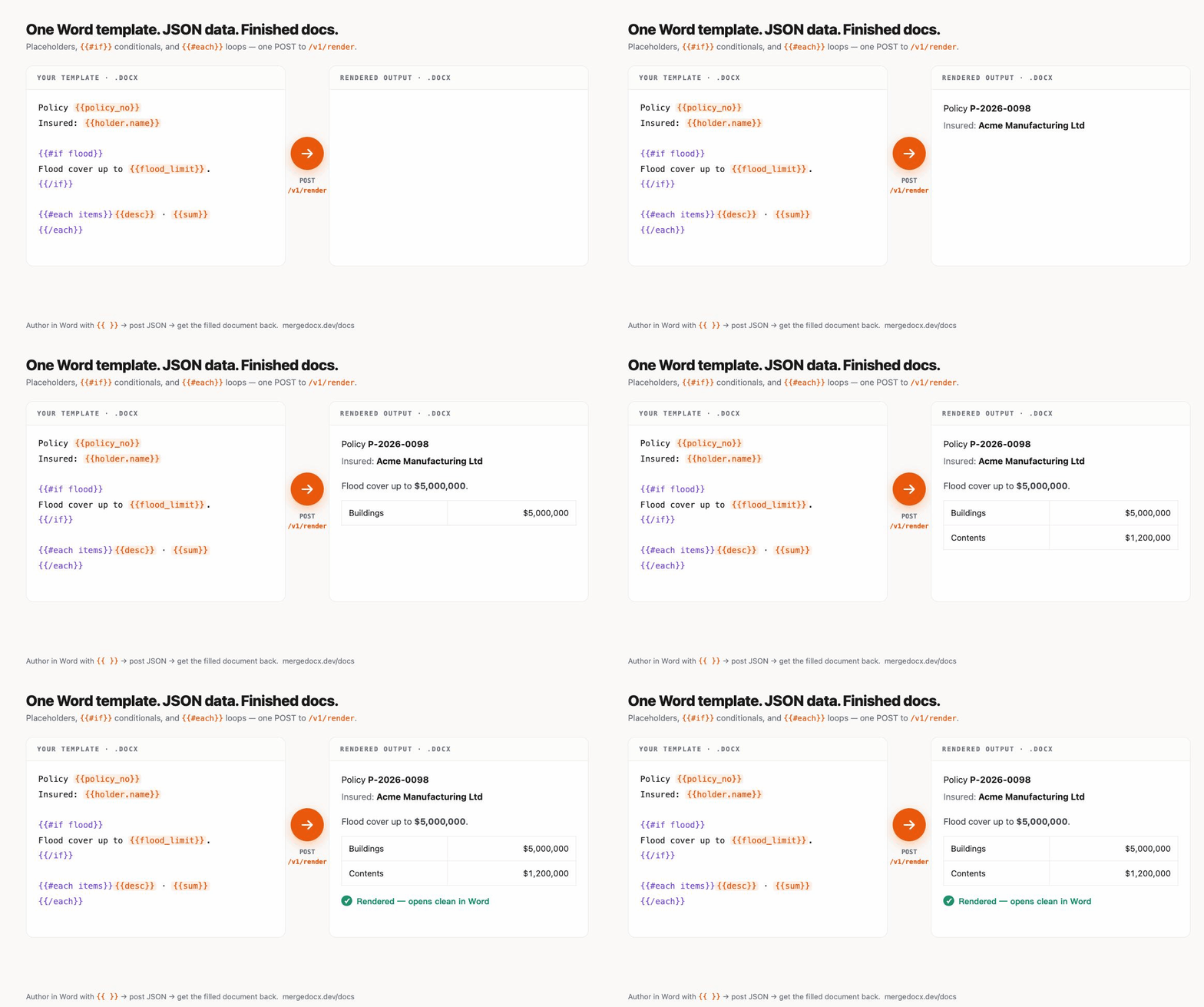
Generate thousands of personalised letters, policies, or statements from a template plus a data source — the classic mail-merge job, done server-side through an API.
Document packet compilation
Bundle regulatory, onboarding, or insurance packets — dozens to hundreds of fragments — into a single deliverable that survives Word's open-and-save cycle intact.
Get started

Start merging in minutes

Sign up for a free account, grab an API key, and make your first merge call. No credit card required.